Selecting the right usb port carrier pcb assembly is essential for achieving stable connectivity and reliable data transfer in modern electronic projects. BENLIDA stands out as a trusted provider, offering assemblies that match specific project needs. Quality and compatibility play a major role in device performance. For example, usb version compatibility ensures the connector supports the intended standard, while a compact footprint helps when space is limited. Durability and signal integrity affect how well a usb device functions under repeated use. Careful attention to these factors helps engineers avoid data errors and maintain dependable usb connections.
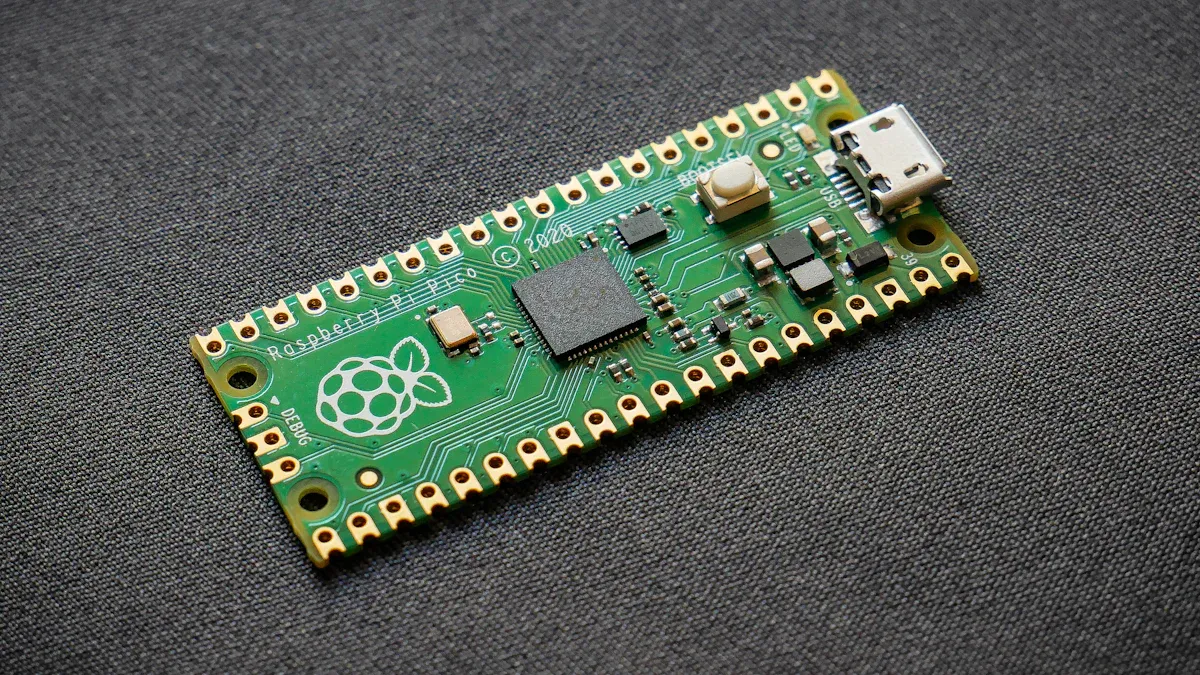
USB Port Carrier PCB Assembly Types
USB Standards and Connector Options
BENLIDA’s usb port carrier pcb assembly uses FR-4 TG150 material and lead-free HASL surface treatment. These features provide durability and reliability for usb applications. The table below shows how material specifications affect performance:
| Aspect | Description |
|---|
| Glass Transition Temperature (Tg) | Tg150 FR4 has a Tg of 150°C, ensuring structural integrity under heat, crucial for usb port durability. |
| Thermal Stability | Enhanced resin formulation allows for mechanical rigidity and electrical insulation at elevated temperatures. |
| Resistance to Degradation | Maintains performance without significant degradation under sustained temperatures, preventing failures. |
| Electrical Insulation | Reliable insulation at high temperatures prevents signal interference, essential for usb performance. |
| Manufacturing Compatibility | Guidance on processing ensures effective handling, balancing performance with production practicality. |
Different usb standards and connector types impact project compatibility and performance. The table below compares usb 2.0, usb 3.0, and usb-c connector options:
| USB Standard | Data Transfer Rate | Power Delivery | Backward Compatibility |
|---|
| USB 2.0 | Up to 480 Mbps | Up to 500 mA | Yes |
| USB 3.0 | Up to 5 Gbps | Up to 900 mA | Yes |
| USB 3.1 gen 1 | Up to 5 Gbps | Up to 900 mA | Yes |
| USB-C | Up to 40 Gbps | Up to 5A | Yes |
The usb-c connector and usb-c pcb connectors support usb 3.x speeds and advanced power delivery. These connectors offer flexibility for modern devices. Usb 3.1 gen 1 and usb 3.x provide high-speed data transfer and backward compatibility.
Tip: Choose the usb port carrier pcb assembly that matches your device’s speed and power needs. Usb-c pcb connectors are ideal for projects requiring fast charging and high data rates.
Typical Applications
Usb port carrier pcb assembly is used in many devices. Usb-c connector and usb-c pcb connectors are common in smartphones, tablets, and laptops. Usb 3.1 gen 1 and usb 3.x are preferred for external storage and HD video streaming. Usb port carrier pcb assembly also supports usb hubs, charging modules, embedded controllers, and smart devices.
●Usb-c pcb connectors enable recharging smartphones and tablets.
●Usb port carrier pcb assembly connects computer mice, keyboards, and flash drives.
●Usb-c connector is essential for interface control and embedded electronics.
Selecting the right usb port carrier pcb assembly ensures stable connections and reliable performance. BENLIDA’s assemblies offer versatility for both consumer and industrial applications.
Key Factors for USB Assembly Selection
Selecting the right usb port carrier pcb assembly for your projects requires careful evaluation of several technical and practical factors. Each project has unique requirements, so understanding these key aspects will help you make informed decisions and avoid costly mistakes.
Speed and Signal Integrity
Data transfer speed is a primary consideration for any usb application. Projects that use usb-c or usb-c type 2.0 demand higher data rates and stricter signal integrity. For example, usb 2.0 supports up to 480 Mbps, while usb 3.1 and usb-c in your projects can reach up to 5 Gbps or more. High-speed usb signals require precise pcb design, including proper trace width, spacing, and differential pair routing. Maintaining controlled impedance is essential, especially for usb-c and usb-c type 2.0, where the target impedance is 90 ohms with tight tolerances.
Note: Use solid ground planes and avoid split planes to reduce electromagnetic interference and maintain signal quality.
Signal integrity also depends on the choice of materials. Low-loss materials help preserve signal strength over longer traces. For usb-c in your projects, consider stackup design and via placement to minimize signal loss and crosstalk. BENLIDA’s assemblies use high-quality FR-4 TG150 material, which supports stable signal transmission for demanding usb applications.
Mechanical and Mounting Constraints
Mechanical constraints affect both the durability and ease of installation of usb port carrier pcb assemblies. Projects may require either through-hole or surface-mount technology. Through-hole mounting provides stronger mechanical connections, making it suitable for high-reliability projects that use usb-c or usb-c type 2.0. Surface-mount technology allows for higher component density and is more efficient for automated assembly.
| Mounting Type | Durability | Ease of Installation |
|---|
| Through-Hole | Stronger mechanical connections, suitable for high-reliability applications | Easier to evaluate mechanical issues during validation, manual adjustments possible |
| Surface-Mount | Higher component density, less mechanical strength | More efficient for automated assembly, but requires high flatness for machines |
When planning your pcb design, check for adequate clearance around the connector. Right-angle connectors may be necessary for compact projects, but they can complicate routing and reduce strain relief. Always review the enclosure and mechanical drawings before finalizing the assembly.
Electrical and Power Requirements
Electrical and power requirements vary depending on the usb standard and the needs of your projects. Usb-c and usb-c type 2.0 support higher current and voltage levels, enabling fast charging and powering larger devices. For example, standard usb-c cables can deliver up to 3A at 20V (60W), while enhanced cables with e-marker chips can provide up to 5A at 20V (100W). Usb Power Delivery (PD) further increases the power capacity, supporting up to 240W in the latest standards.
| USB Standard | Voltage (V) | Current (A) | Power (W) |
|---|
| USB 2.0 | 5 | 0.5 | 2.5 |
| USB Battery Charger | 5 | 1.5 | 7.5 |
| USB Power Delivery | Up to 20 | Up to 5 | Up to 100 |
Projects that use usb-c in your projects can benefit from reduced need for separate power adapters and support for rapid charging. When designing your pcb, ensure that traces and connectors can handle the required current without overheating. BENLIDA’s assemblies undergo strict quality control, including soldering quality checks and functional testing, to ensure reliable power delivery.
Compatibility and Pin Count
Compatibility and pin count are critical for integrating usb port carrier pcb assemblies with other components in your projects. Usb-c and usb-c type 2.0 connectors have more pins than traditional usb connectors, allowing for advanced features like alternate modes and higher power delivery. The pin count determines the number of electrical paths, which affects design complexity and signal integrity.
| Aspect | Explanation |
|---|
| Pin Count | Determines the number of electrical paths through a connector, affecting design complexity. |
| Connector Compatibility | Ensures connectors can mate with intended connection points, crucial for signal integrity. |
Always verify the datasheet for the connector and assembly. Look for IPC-compliant land patterns, recommended solder paste, and clear cross-section diagrams. Avoid generic breakout boards that claim to support all usb-c projects, as they may lack proper pin termination or introduce crosstalk.
Tip: Test your assembly with a usb protocol analyzer before mass production. Check enumeration time, VBUS ramp-up, and CC line voltage levels under load.
BENLIDA’s quality control process sets a benchmark for reliability. Each assembly undergoes incoming material inspection, SMT assembly checks, AOI inspection, and final product verification. This ensures that your projects receive assemblies that meet the highest standards for usb performance.
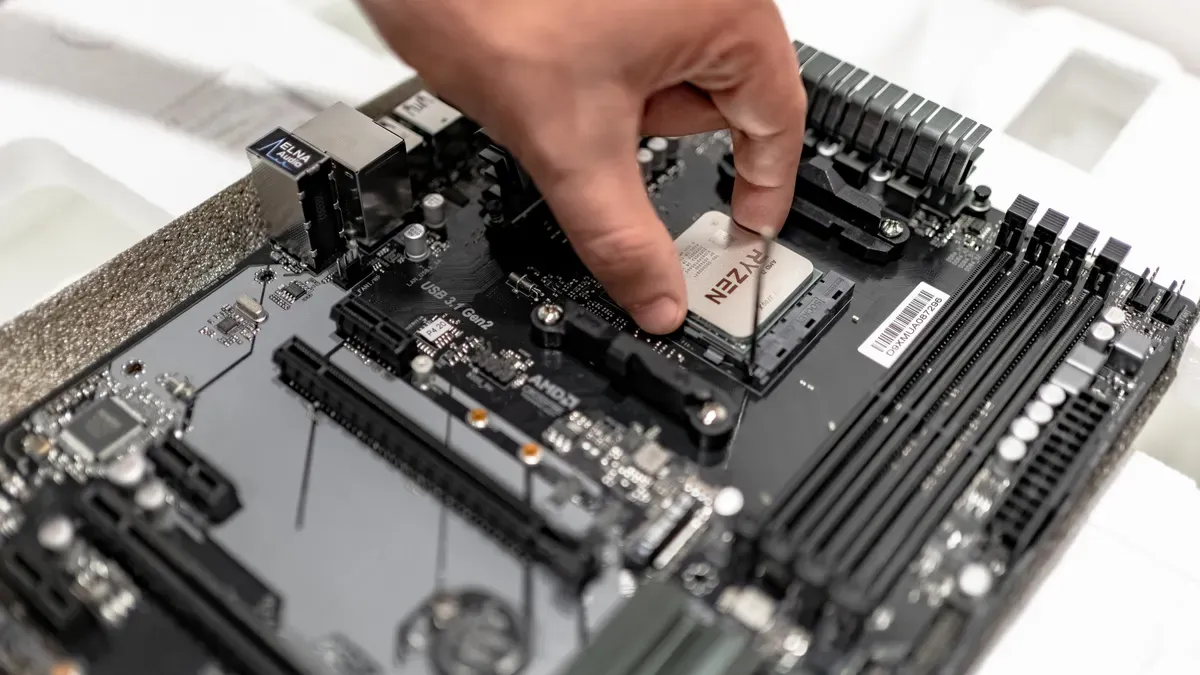
Selection Process for USB Port Carrier PCB Assembly
Define Project Needs
A successful usb project starts with clear requirements. Engineers should follow a structured approach:
1.Component Selection: Choose components that fit the available board space. Smaller parts help optimize space and reduce costs.
2.Board Size Definition: Set the initial size for the PCB. Consider mechanical constraints and environmental factors.
3.Design Rules and Component Placement: Establish design rules after defining board size. Place components carefully, leaving room for traces and vias.
Tip: Early planning helps avoid costly redesigns and ensures the usb port carrier PCB assembly fits the intended device.
Compare Assembly Options
Comparing usb port carrier PCB assemblies involves evaluating several criteria. The table below highlights important features:
| Criteria | Description |
|---|
| Contact plating | Gold-plated contacts resist oxidation better than nickel or tin. |
| Solder cup depth | Depth of at least 1.5 mm keeps wire strands secure during thermal cycling. |
| Shell wall thickness | Nominal thickness of 1.0 mm prevents deformation. |
| Pin pitch & alignment tolerance | USB 2.0 Type A pins spaced at 2.54 mm ±0.1 mm avoid shorts. |
| Strain relief design | Integrated cable clamps prevent wire pull-out. |
Projects that implement usb-c require careful attention to pin pitch and alignment. Power delivery support is essential for devices that need usb power delivery or power delivery functionality. BENLIDA’s assemblies offer reliable features for both consumer and industrial applications.
Review Documentation and Testing
Reviewing documentation and testing reports ensures the usb port carrier PCB assembly meets project requirements. Engineers should check the following parameters:
| Parameter | Description |
|---|
| Reference designator | Identifies each component on the PCB. |
| Type of inspection test | Specifies inspection methods such as AOI or X-ray. |
| Inspection result (pass/fail) | Indicates if the component passed inspection. |
| Defect found | Lists any defects like stains or missing parts. |
| Action to repair PCB defects | Describes steps taken to fix defects. |
| Remarks | Provides notes about the inspection process. |
BENLIDA’s flexible manufacturing and quality assurance processes support both prototyping and volume production. Integrated operations allow for early design alignment and quick changes. Quality control, including AOI and X-ray inspection, ensures reliability from prototype to mass production.
Note: Thorough documentation review and testing help prevent issues and guarantee stable usb performance.
Common Mistakes and Best Practices
Avoiding Compatibility Issues
Many engineers overlook connector compatibility when selecting a usb port carrier PCB assembly. This mistake can lead to mismatched pin layouts or unsupported usb standards. Devices may fail to communicate or charge properly if the assembly does not match the intended usb version. Always check the datasheet for pin configuration and verify that the assembly supports the required usb speed and power delivery. Testing assemblies with real devices before mass production helps prevent costly errors. Engineers should also avoid generic boards that claim universal compatibility, as these often lack proper termination for advanced usb features.
Tip: Use a usb protocol analyzer to confirm enumeration and signal quality during prototyping.
Ensuring Regulatory Compliance
Regulatory compliance is essential for usb assemblies used in commercial products. Ignoring standards like USB-IF and RoHS can result in failed certifications or restricted market access. Manufacturers must follow best practices for testing and documentation. The table below shows common methods for achieving compliance:
| Compliance Method | Description |
|---|
| USB-IF Sponsored Compliance Workshop | USB-IF member companies can participate in workshops to ensure compliance with usb standards. |
| Authorized Independent Test Lab | Testing at labs authorized by USB-IF verifies specific usb technologies. |
| USB-IF Qualification by Similarity Program | Qualification based on similarity to certified products streamlines the process. |
RoHS compliance ensures that assemblies are free from hazardous substances. Always request certificates of conformance and review test reports before finalizing a supplier.
Sourcing Reliable Assemblies
Sourcing from reliable suppliers reduces the risk of quality issues in usb port carrier PCB assemblies. Counterfeit parts cost the electronics industry billions each year. Working with authorized distributors ensures traceability and authentication. Engineers should verify supplier credentials by checking for certifications like ISO 9001. Requesting documentation such as certificates of conformance confirms component authenticity.
●Work with authorized distributors for traceability.
●Check supplier credentials for quality certifications.
●Request certificates of conformance for authenticity.
Choosing trusted brands like BENLIDA helps ensure stable usb performance and long-term reliability. Quality assurance processes, including incoming material inspection and functional testing, further reduce risks.
Selecting the right USB port carrier PCB assembly requires careful attention to signal integrity, connector compatibility, and manufacturing quality. Use this checklist for your decision-making:
●Review project requirements and connector types.
●Choose assemblies with precise contact and reliable grounding.
●Ensure manufacturing follows strict quality standards.
●Match probe spacing and use low loss materials for high-frequency signals.
Partnering with BENLIDA brings added value:
| Strength | Description |
|---|
| Rigorous Quality Control | ISO-certified inspections and functional testing for consistent performance. |
| Advanced Manufacturing | Supports compact, high-performance device designs. |
| Commitment to Precision | Delivers reliable PCBs for demanding applications. |
About the author:

Sonic Yang
As a major in Electronics and Mechanical Automation, Sonic has been engaged in PCB design, R&D, and manufacturing of electronics for around 22 years, as the engineering director, and coordinates with the supply chain(components and CNC parts), providing professional support and consulting for global customers.

 en
en



 WhatsApp